
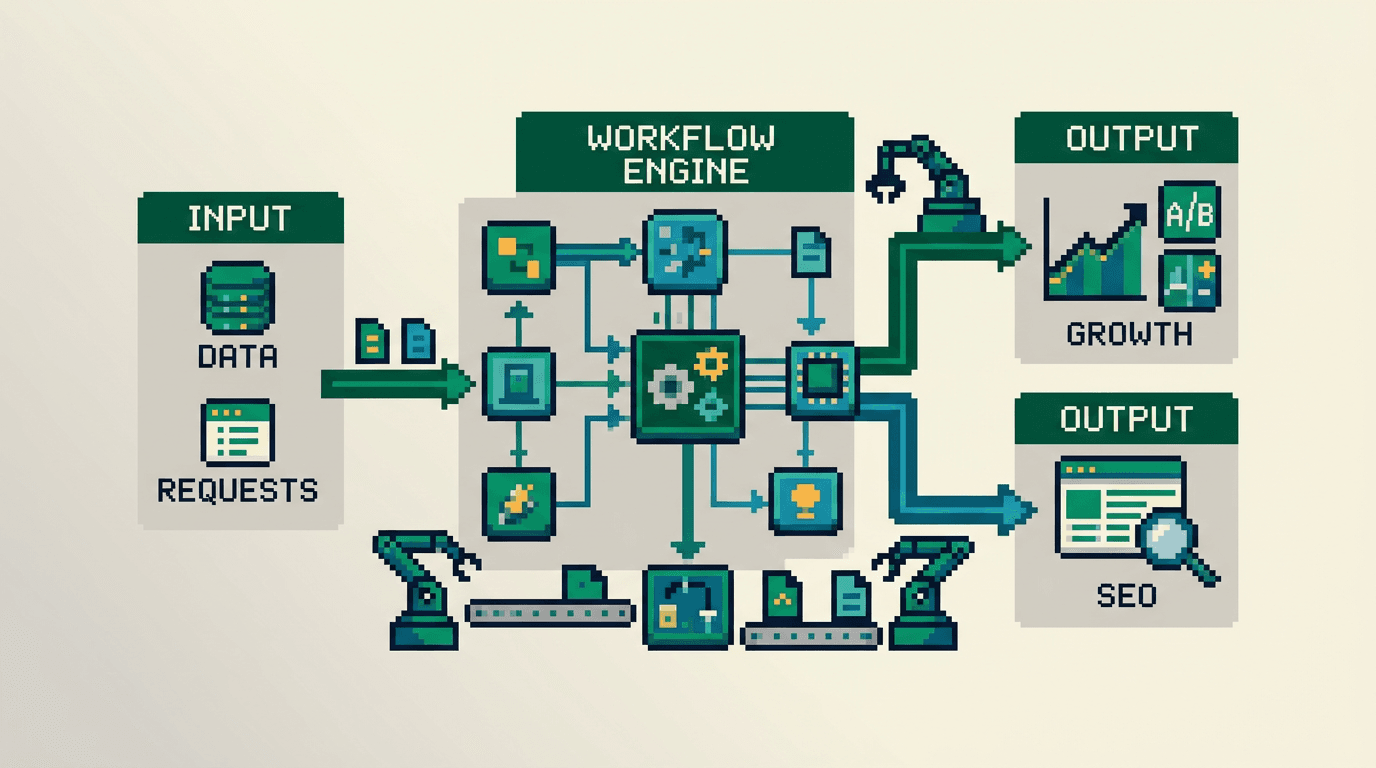
Product teams move fast until manual tasks stack up. Tickets stall. Launches slip. Automation workflows restore flow by turning repeatable work into reliable systems.
This guide shows product and growth operators how to design automation workflows that cut bottlenecks and scale execution. It covers inputs, process, outputs, and acceptance checks. The key takeaway: ship small, observable automations with clear owners, QA gates, and feedback loops that compound.
What Are Automation Workflows and Why They Matter
Automation workflows are repeatable sequences that move data or actions across tools without manual steps. Good workflows are observable, testable, and reversible.
- Goal: remove handoffs and latency from delivery and growth work.
- Scope: content ops, programmatic SEO, analytics, distribution, and experiment loops.
- Outcome: faster cycle time, fewer errors, higher throughput.
Common Bottlenecks They Solve
- Copying data between systems
- Manually updating metadata or sitemaps
- Ad hoc content formatting and publishing
- Delayed reporting and slow experiment reads
- Fragmented approvals and missed SLAs
Acceptance Criteria for a Good Workflow
- Single owner with backup documented
- Version controlled config and templates
- Metrics with alerts and dashboards
- Rollback in one step
Core Principles for Reliable Automation Workflows
Use these principles before you build.
Small Surface Area First
Automate a single well defined task. Keep the blast radius low. Expand only after passing acceptance checks.
Make It Observable
Emit logs, metrics, and traces. Store run history. Add alerts for error rates, latency, and skipped items.
Idempotent by Design
Safe to rerun. Deduplicate by id or checksum. Write once patterns avoid duplicates across retries.
Human in the Loop Where Quality Matters
Place decision points behind queues. Use checklists and preview diffs. Reserve manual review for high impact steps.
Choosing the Right Primary Keyword and Focus
We anchor this article on the primary keyword automation workflows to match search intent. We also include related topics such as programmatic SEO and execution playbooks for technical SEO for product teams.
Who This Guide Is For
- Product operators, growth engineers, and content platform owners
- Teams building programmatic SEO and distribution loops
- Technical marketers working in SSR React stacks
What You Will Build
- A minimal workflow blueprint
- QA gates and metrics
- Distribution and experiment loops
A Minimal Blueprint You Can Use Today
This section gives a template. Copy it into your PRD.
Inputs, Process, Outputs
- Inputs: source data, trigger conditions, templates
- Process: transform, validate, publish, notify
- Outputs: assets, logs, metrics, alerts
Roles and Owners
- Workflow owner: accountable for uptime and changes
- Reviewer: approves template and schema updates
- On call: handles incidents during run windows
Tools and Integrations
- Git repo for templates and configs
- CI runners or serverless functions for jobs
- Queue for retries and rate limiting
- Monitoring with dashboards and alerts
Designing Automation Workflows for Programmatic SEO
Use automation to scale content that maps to structured data. The aim is speed with quality.
Data Model and Templating
- Define entities and fields: topic, intent, source, slug, title, meta, body
- Create SSR templates for each page type
- Store templates in version control with tests
Metadata and Internal Links
- Generate titles, descriptions, and canonical tags from the data model
- Insert context aware internal links based on entity relationships
- Validate unique slugs and non empty descriptions
QA Gates Before Publish
- Lint HTML and schema
- Validate lighthouse core checks on canary URLs
- Run link checker and sitemap diff
Building Automation in SSR React Stacks
SSR React introduces routing, rendering, and caching concerns. Bake them into your workflow.
Routing and Sitemaps
- Pre compute static routes for programmatic pages
- Update sitemaps on every successful deploy
- Submit sitemaps via the Search Console API
Rendering and Caching
- Use incremental regeneration or stale while revalidate
- Bust cache on entity updates
- Log TTFB and cache hit rate per route group
Distribution Loops That Compound Reach
Publishing once is not distribution. Automate packaging and scheduling across channels.
Content Atomization
- Extract quotes, stats, and insights from each post
- Generate 5 to 10 snippets per post with links back
- Store assets with IDs for reuse and tracking
Channel Queues and Cadence
- Create queues per channel with guardrails on frequency
- Schedule posts to avoid overlap and maximize time zones
- Include UTM parameters for each snippet
Here is a short table to clarify the distribution mix by channel and goal.
| Channel | Asset Type | Cadence | Primary Goal | Owner |
|---|---|---|---|---|
| Blog | Long form | Weekly | Organic growth | Content lead |
| Snippets | 3x week | Awareness and clicks | Growth ops | |
| Newsletter | Summary | Biweekly | Return visits | PMM |
| Communities | Playbook clip | Weekly | Engagement | PM |
Experiment Loops That Improve Conversion
Automation needs feedback. Close the loop to improve quality and impact.
Hypotheses and Variants
- Define one variable per test: headline, intro hook, CTA
- Limit experiment duration to clear windows
- Log experiment IDs in URLs and dashboards
Measurement and Decision Rules
- Track CTR, time on page, and signups by variant
- Pre define stop rules for low performance
- Ship winners into templates and retire losers
Execution Playbooks and Runbooks
Codify the work so new teammates can run it without context lost.
Playbook Structure
- Purpose, scope, and success metrics
- Steps with inputs and outputs
- Failure modes and rollbacks
Runbook Actions
- Incident checklist with roles
- One command restores last stable config
- Post incident review with actions and owners
Metrics and Dashboards That Matter
Measure what the workflow influences. Avoid vanity metrics.
Leading Indicators
- Cycle time from input to publish
- Error rate per step
- Queue depth and retry count
Impact Metrics
- Indexed pages and crawl errors
- CTR and signups per distribution snippet
- Experiment win rate per quarter
Here is a compact mapping of metrics to their decisions.
| Metric | Decision Trigger | Action |
|---|---|---|
| Error rate over 2 percent | Pause runs | Fix and re run canary |
| Retry count over 3 | Increase backoff | Inspect API quotas |
| Win rate under 20 percent | Review hypotheses | Simplify variants |
Governance, Security, and Compliance
Reduce risk with clear controls.
Access and Permissions
- Use least privilege roles for CI and API keys
- Rotate secrets and log access
- Restrict production runs to approved branches
Audit Trails and Reviews
- Record who changed templates and when
- Require code reviews with checklists
- Schedule quarterly workflow audits
Failure Modes and Rollbacks
Design for when things go wrong. Fast recovery beats perfect prevention.
Typical Failure Modes
- API quota exhaustion and rate limits
- Schema drift between data and templates
- Bad deploy that breaks routing
Rollback Plan
- Revert to last green build via tag
- Disable offending job with a feature flag
- Restore sitemap from previous snapshot
Step by Step: Ship Your First Automation Workflow in 14 Days
This plan gets a simple workflow into production.
Days 1 to 3: Define and Scope
- Pick one task with weekly frequency and clear output
- Write PRD with inputs, steps, outputs, and metrics
- Identify owners and review windows
Days 4 to 7: Build and Test
- Create templates and transformations in a repo
- Add unit tests and a canary dataset
- Wire CI, logging, and alerts
Days 8 to 11: Dry Runs and QA
- Run on staging with real data
- Validate outputs, links, and sitemap diffs
- Fix defects and document known issues
Days 12 to 14: Launch and Monitor
- Schedule first production run in a low traffic window
n- Watch dashboards and alerts for 48 hours
- Record learnings and next improvements
Tooling Options and Fit by Team Maturity
Pick simple tools first. Upgrade when bottlenecks return.
Here is a brief comparison of common options.
| Option | Best For | Pros | Cons |
|---|---|---|---|
| Native CI and scripts | Eng heavy teams | Full control, versioned | Higher maintenance |
| iPaaS platforms | Ops first teams | Fast to ship, UI driven | Vendor limits, cost |
| Serverless functions | Mixed teams | Scales on demand | Requires observability work |
Vendor and Partner Support
If you prefer implementation support or a custom site build, consider expert partners. For managed services and custom builds, see these options:
- Services overview: https://www.baylinedigital.com/services
- SEO services: https://www.baylinedigital.com/services/seo
- Custom websites: https://www.baylinedigital.com/services/custom-websites
Putting It Together: An End to End Example
Assume you publish a weekly programmatic SEO collection.
Inputs
- CSV of entities with titles, intents, and sources
- Template repo with SSR page component and metadata generator
- Distribution snippet generator config
Process
- CI job ingests CSV and validates fields
- Build generates pages and updates sitemap
- Distribution job creates snippets and schedules posts
Outputs and Checks
- Deployed pages and incremental cache refresh
- Submitted sitemap and green canary checks
- Snippets queued with UTMs and tracking IDs
Maintenance and Review Cadence
Sustained gains come from small, regular improvements.
Weekly
- Triage errors and review dashboards
- Ship one improvement or cleanup task
Quarterly
- Audit permissions and secrets
- Retire unused jobs and update runbooks
Key Takeaways
- Start small and observable. Add scope after you pass clear checks.
- Treat workflows like products with owners, SLAs, and dashboards.
- Use QA gates for programmatic SEO and SSR routes.
- Close the loop with distribution and experimentation.
- Document failure modes and keep a one step rollback.
Ship one workflow this week. Review it next week. Compound over the quarter.