
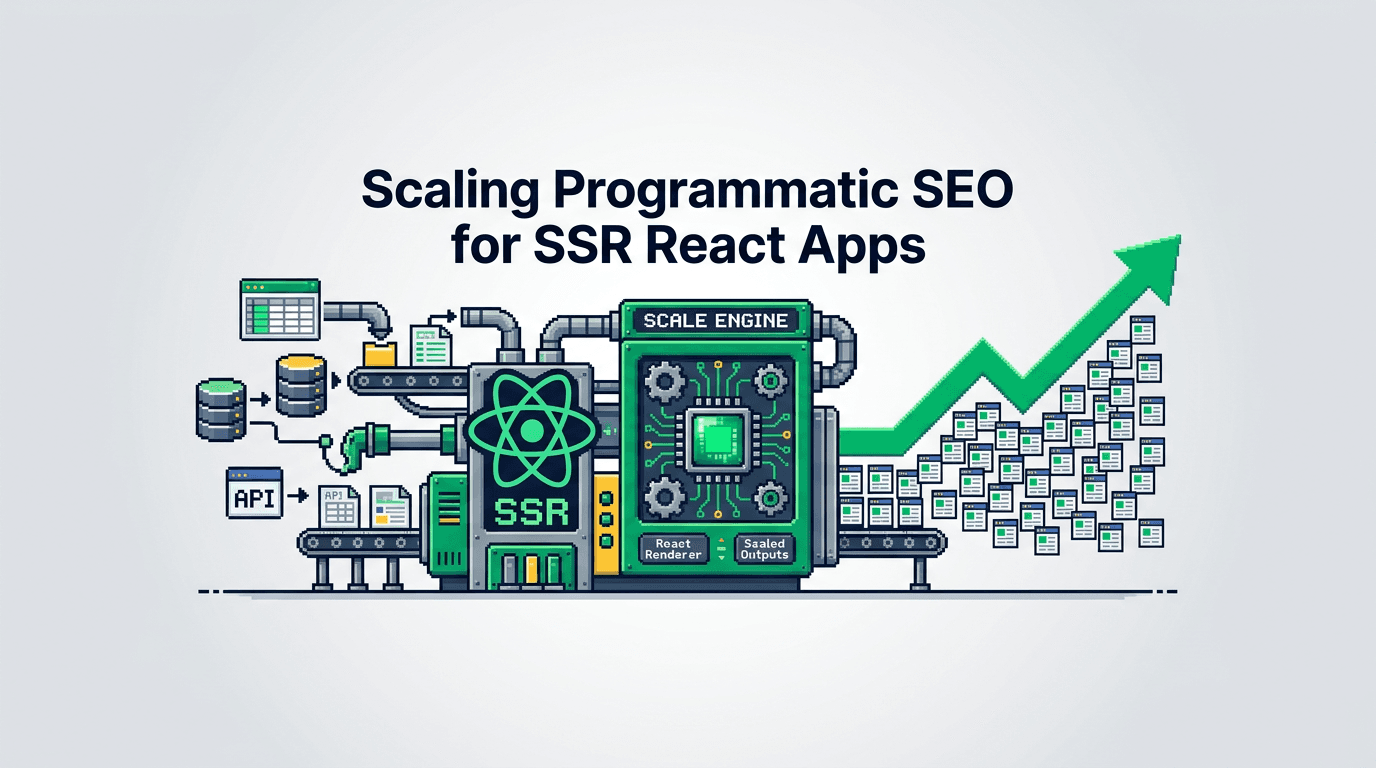
Your pages can scale faster than your team. Programmatic SEO lets you ship thousands of high quality pages from structured data without drowning in manual work.
This guide shows product operators and technical SEO practitioners how to build a programmatic SEO system for SSR React stacks. You will design data models, templates, QA gates, automation workflows, and distribution loops. The key takeaway: treat search as a build pipeline with measurable gates and you can scale safely.
What is Programmatic SEO and When to Use It
Programmatic SEO creates many pages from structured data using shared templates. It increases coverage for topics with repeatable patterns.
Good use cases
- Marketplaces with listings by city, category, or feature
- SaaS with integrations, templates, industries, or comparison pages
- Developer tools with SDKs, versions, and API endpoints
- Content libraries with repeatable how to or glossary entries
Risky use cases
- Thin affiliate stubs with no unique value
- Auto spun text without expert review
- Duplicate near identical city plus keyword pages
- Topics with low intent or no search demand
Criteria for greenlight
- Structured source data with stable fields
- Clear user intent per page type
- Unique value add beyond boilerplate
- Ongoing freshness signals and update hooks
Architecture for SSR React Programmatic Pages
Your goal is fast, indexable pages with consistent metadata and unique value per instance.
Inputs, process, outputs
- Inputs: entities, attributes, relations, media, and source of truth
- Process: build templates, hydrate on server, render HTML, cache, ship sitemap
- Outputs: crawlable pages, canonical URLs, structured data, logs, and metrics
SSR vs SSG in practice
- SSR: consistent TTFB under load, dynamic freshness, easy A/B on server
- SSG: very fast static assets, but heavy rebuilds for large catalogs
- Hybrid: prebuild top pages, SSR long tail on demand, cache hits
Routing and canonical strategy
- One canonical per entity or variant
- Stable slug from primary key plus normalized name
- Query params never canonical unless required for unique content
- Use rel=canonical for near duplicates and paginated views
Data Model and Content Design
You scale quality with strong schemas and content components.
Entity schema
- id, name, slug, description, features, categories
- media: hero image, logo, gallery
- metrics: price range, counts, ratings, locations
- relations: parent, children, related, alternatives
Content blocks per template
- Intro value block tied to user intent
- Specs or attributes table
- Pros and cons written by an expert
- How to use or setup steps
- Related entities and next actions
- FAQ snippets mapped to Search Console queries
Unique value patterns
- Aggregated signals from first party data
- Benchmarks drawn from your usage telemetry
- Editorial insights and real examples
- Region or version specific notes
Template System for SSR React
Define a minimal contract between data and UI so teams ship fast and safely.
Template contract
- Props: entity, related, breadcrumbs, render options
- Slots: hero, summary, facts, body, FAQ, CTAs
- Gates: required fields before render
- Fallbacks: hide block if data is missing
Example component outline
// pages/[entity].tsx (Next.js)
export async function getServerSideProps(ctx) {
  const slug = ctx.params.entity
  const entity = await api.getEntityBySlug(slug)
  if (!entity || !passesGates(entity)) return { notFound: true }
  const related = await api.getRelated(entity.id)
  return { props: { entity, related } }
}

export default function EntityPage({ entity, related }) {
  return (
    <Layout>
      <Hero title={entity.name} description={entity.summary} />
      <FactsTable data={entity.attributes} />
      <EditorBlock md={entity.editorial} />
      <ProsCons pros={entity.pros} cons={entity.cons} />
      <FAQ items={entity.faq} />
      <Related items={related} />
    </Layout>
  )
}
Metadata and schema
- Build title, meta description, and canonical from stable fields
- Add JSON LD per type (Product, SoftwareApplication, HowTo, FAQPage)
- Enforce length and presence checks in build step
Automation Workflows and QA Gates
Automate checks so you never ship thin or broken pages.
Pre publish gates
- Required fields: title, h1 surrogate, summary, image alt, at least 300 words
- Uniqueness: slug, title, and description must be unique in corpus
- Readability: short sentences, active voice, no filler phrases list
- Links: at least 3 internal links and 1 authoritative external link
Technical gates
- HTML size under threshold
- LCP element present above fold
- CLS budget under 0.1 for template
- No blocking JS for critical render
Example CI checks
## check uniqueness
node scripts/uniqueness.js --titles data/entities.json

## check fields
node scripts/required.js --schema schemas/entity.json --data data/entities.json

## lighthouse CI on template routes
lhci autorun --config=./lighthouserc.json
Rollbacks
- Feature flag new template variants
- Canary release to 1 percent of slugs
- Auto unpublish if error rate or CLS exceeds budget
Content Generation With Guardrails
Use structured prompts and human review for consistent tone and accuracy.
Prompt pattern
- Inputs: entity fields, user intent, SERP outline, differentiators
- Task: produce blocks for summary, pros and cons, how to steps, FAQ
- Constraints: sentence length, voice, banned phrases, word counts
- Output: JSON payload that maps to template slots
Human in the loop
- Editor approves pros and cons and how to steps
- SME validates facts and examples
- Legal or brand reviews sensitive claims
Acceptance checklist
- Unique angle vs top ranking pages
- Concrete examples or data points present
- Clear CTA and next action link
Distribution Loops for Programmatic Reach
You need repeatable promotion or your pages will sit idle.
Loop design
- Trigger: new or updated entity passes QA
- Actions: generate snippets, schedule posts, update feeds
- Channels: newsletter, social, community posts, partner handoffs
- Feedback: clicks, saves, comments, search impressions
Snippet automation
- Create 3 hooks: stat, problem, and use case
- Generate one image per hook from template
- Queue posts over 14 days with staggered timing
Owned and partner channels
- Publish changelog notes for new clusters
- Send partner ready blurbs for entities that involve third parties
- Pitch a short tutorial to one community per week
Experiment Loops and Measurement
Treat every page type as a product surface. Measure, test, and iterate.
Metrics to track
- Crawl: discovered URLs, coverage, and errors
- Render: LCP, CLS, JS errors per template
- Search: impressions, clicks, CTR, average position
- Engagement: scroll depth, time on page, CTA clicks
- Conversion: trial starts, signups, lead submits
Experiment cadence
- Weekly: triage anomalies and fix regressions
- Biweekly: ship one template or block variant test
- Monthly: expand top performing clusters by 10 to 20 percent
Example test ideas
- Replace generic intro with task led summary
- Add specs table near top vs mid page
- Inline FAQs vs expandable accordions
- Image size and format changes for LCP gains
Sitemaps, Feeds, and Freshness Signals
Make discovery and recrawl easy for crawlers and users.
Sitemap strategy
- Index sitemap split by page type
- Daily ping on changed sitemaps only
- Priority and lastmod set from data timestamps
Feeds and updates
- Add RSS or JSON feeds for new and updated entities
- Publish a weekly roundup of changes
- Surface update badges on pages
Recrawl nudges
- Rotate internal links from hub pages
- Add recent updates section in clusters
- Increment lastmod only on material changes
Governance, Ownership, and Runbook
Clarity on owners and budgets keeps velocity high.
Roles
- Product owner: sets outcomes and budgets
- Tech lead: owns templates and performance budgets
- Content lead: owns voice, accuracy, and editorial calendars
- Analyst: owns dashboards and test design
Runbook outline
- Intake entity set and validate schema
- Generate drafts with constraints
- SME review and edits
- QA gates in CI
- Ship to canary and monitor
- Rollout with distribution loop
- Log outcomes and decide next test
Dashboards
- Search Console per template and cluster
- Core Web Vitals per route and device
- Content QA status and coverage over time
Common Failure Modes and Fixes
Learn to spot and fix the issues that slow scale.
Thin or duplicate content
- Fix: enrich with examples, data, or tutorials; merge near duplicates; add canonicals
Template bloat and slow LCP
- Fix: remove non critical JS, inline critical CSS, prefetch images, lazy load below fold
Misaligned intent
- Fix: rewrite intro to match top intent, move CTAs, answer key questions early
Broken internal links
- Fix: generate link maps per cluster, add tests that fail build on broken links
Stale data
- Fix: schedule refresh jobs, flag stale badges, remove outdated entities
Minimal Blueprint to Launch in 30 Days
Ship a slice, not the whole catalog. This staged plan helps teams start fast.
Week 1: model and template
- Define entity schema and sample 50 items
- Build SSR template and route
- Add metadata, basic JSON LD, and required field gates
Week 2: QA and content
- Write editorial blocks for 20 items
- Add pros and cons and how to steps
- Run Lighthouse budgets and fix regressions
Week 3: ship and distribute
- Publish 20 items behind a feature flag
- Submit sitemaps and log crawl metrics
- Start distribution loop with snippets and partners
Week 4: measure and iterate
- Review search and engagement
- Ship one template variant test
- Plan next batch of 50 items
Tooling Options for Each Stage
Pick tools that fit your stack and team. This table compares common choices.
| Stage | Option | Strengths | Risks | Fit |
|---|---|---|---|---|
| Data store | Postgres | Strong schema, joins | Ops overhead | Mature teams |
| Data store | Airtable | Fast edits, UI | Rate limits | Content heavy |
| Generation | In house prompts | Control, privacy | Build time | Dev led |
| Generation | Vendor API | Speed to start | Lock in | Early stage |
| CI QA | Lighthouse CI | Perf budgets | Flaky if noisy | Web apps |
| CI QA | Custom scripts | Exact checks | Maintenance | Custom needs |
| CMS | Headless CMS | Roles, workflows | Cost, learning | Multi team |
| CMS | Git based | Version control | Non writer friendly | Dev first |
Programmatic SEO in Action: A Concrete Example
A SaaS with 200 integrations wants pages for each vendor, category, and use case.
Inputs
- Vendor data from CRM and product catalog
- Use cases drawn from support tags and product telemetry
- Editorial insights from CSM notes
Process
- Define entity types: Vendor, Category, Use Case
- Build a base template with slots for value, steps, and pros and cons
- Generate drafts with a structured prompt and constraints
- SME reviews the top 50 vendors
- Run QA gates and fix failures
- Ship canary to 10 vendor pages
- Roll out and start distribution loop
Outputs
- 200 vendor pages, 20 categories, 30 use cases in 30 days
- Indexed sitemaps and stable LCP on mobile
- Weekly tests on intro blocks and table placement
Governance Metrics and Review Cadence
Tie the system to outcomes and keep it honest.
North star and guardrails
- North star: qualified signups from programmatic pages
- Guardrails: CTR above baseline, LCP under 2.5s mobile, no thin content flags
Review rhythm
- Weekly ops: fix QA failures, ship small tests
- Monthly: expand winning clusters, retire weak ones
- Quarterly: refactor template and prompts, refresh data feeds
Key Takeaways
- Treat programmatic SEO as a build pipeline with SSR React templates and QA gates.
- Start with strong data models, clear intent, and unique value blocks.
- Automate checks for metadata, performance, and content quality before publish.
- Run distribution loops and experiment cadence to compound gains.
- Measure outcomes tied to product metrics, not just rankings.
Build the smallest viable slice, instrument it well, and iterate on real signals.