
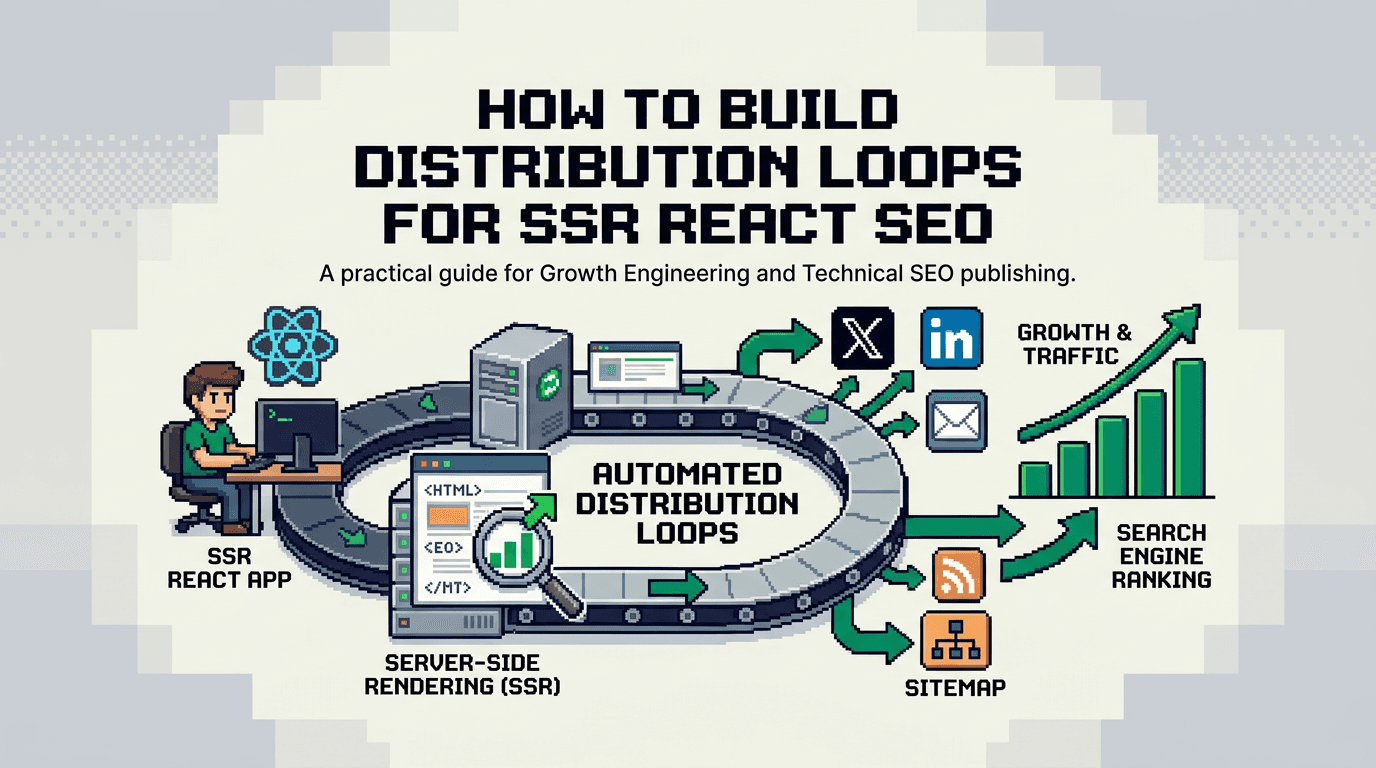
Your content is not underperforming because it lacks ideas. It stalls because distribution is manual and inconsistent.
This guide shows technical product teams how to design distribution loops for SSR React SEO. It covers inputs, workflow steps, automation options, QA gates, and success metrics. Primary takeaway: treat distribution as a repeatable system that ships on a schedule with measurable outputs.
What Are Distribution Loops?
Distribution loops are repeatable workflows that turn one source asset into channel ready artifacts, publish them on a schedule, collect signals, and feed learning back into the next cycle.
Inputs, Process, Outputs
- Inputs: a flagship post, structured data, channel templates, schedule, owner.
- Process: slice, transform, approve, publish, capture metrics, learn.
- Outputs: channel posts, backlinks, indexed pages, engagement events, insights.
Why They Matter for SSR React SEO
- SSR React ships fast pages and stable metadata which search engines can crawl.
- Distribution loops create consistent external signals and internal links.
- Together they improve crawl coverage, intent matching, and compounding reach.
Choose the Primary Asset and Data Model
Pick one flagship asset per week. Model its data so you can slice it into repeatable derivatives.
Define the Content Schema
Use a schema that supports structured slicing.
- Title
- TLDR (1 to 2 sentences)
- Key points array
- Quotes array
- Code or snippet blocks
- Stats or claims with sources
- CTA variants
Example JSON shape:
{
  "title": "Programmatic SEO for SSR React",
  "tldr": "Blueprint to design data models and QA gates.",
  "keyPoints": ["Data model", "Templates", "QA", "Publish"],
  "quotes": ["Ship fast, measure faster."],
  "snippets": ["npx lighthouse ..."],
  "sources": ["https://web.dev/lcp/", "https://developers.google.com/search/docs"],
  "ctas": ["Read the full guide", "Get the checklist"]
}
Map Derivative Formats to Channels
- LinkedIn: 5 step carousel, 1 quote post, 1 question post.
- X: 1 thread, 3 singles, 1 chart or code image.
- Email: 1 short digest with TLDR and 2 links.
- YouTube Shorts or Loom: 60 second summary.
- Community: 1 useful answer that links to a section.
Build the Loop: Roles, Cadence, and Tools
Set owners and a weekly cadence. Keep the toolchain minimal.
Roles and Ownership
- Source owner: writes and updates the flagship asset.
- Editor: QA pass for clarity and claims.
- Automation owner: maintains scripts and schedules.
- Channel lead: approves final tone and compliance.
Cadence
- Monday: source finalized and tagged.
- Tuesday: derivative generation and QA.
- Wednesday: publish core channels.
- Thursday: engage and collect questions.
- Friday: synthesize learnings and update backlog.
Tooling Stack
- CMS or repo: Markdown with front matter.
- Scheduler: n8n or Zapier for jobs; GitHub Actions for transforms.
- Docs: Notion or a repo README for SOPs.
- Analytics: Search Console, Analytics, channel native insights.
- Storage: S3 or GCS for images and video.
Automation Workflows That Cut Manual Work
Automate what is predictable. Keep humans on QA and voice.
Workflow 1: Slice and Transform
Goal: convert the flagship Markdown into channel ready drafts.
Steps:
1) Parse front matter and body.
2) Extract TLDR, H2s, quotes, code blocks.
3) Build derivatives with templates.
4) Write to a drafts folder per channel.
5) Open a PR for review.
Acceptance:
- All required derivatives present.
- Character limits respected.
- Source links included.
Failure modes:
- Missing metadata. Abort and notify editor.
- Overlength posts. Trim by rule priority.
Workflow 2: Image and Snippet Generation
Goal: create consistent visuals fast.
Steps:
1) Render quotes and stats on a branded template via HTML to PNG.
2) Format code to 12 lines max with syntax highlight.
3) Compress assets and push to CDN.
Acceptance:
- Under 200 KB per image.
- 1200x675 and 1080x1080 variants available.
Workflow 3: Schedule and Publish
Goal: ship on the chosen day and window.
Steps:
1) Fetch approved drafts from PR main branch.
2) Queue posts via API for each channel.
3) Insert UTM params and canonical links.
4) Confirm scheduled state and post IDs.
Acceptance:
- 100 percent items have IDs.
- UTM tags present and valid.
Workflow 4: Collect Signals and Log Learnings
Goal: capture outcomes and inform next week.
Steps:
1) Pull Search Console queries and clicks for the source post.
2) Pull channel metrics 48 hours after publish.
3) Record top comments and questions.
4) Propose 2 improvements to the source post.
Acceptance:
- Metrics logged to a weekly row.
- Two concrete next actions proposed.
Templates and QA Gates
Templates speed output. QA gates protect quality and brand.
Channel Templates
- LinkedIn carousel: Hook, Steps 1 to 5, CTA.
- Thread: Problem, 5 steps, recap, link.
- Email digest: TLDR, 3 bullets, 2 related links, CTA.
- Community answer: Short solution, code, link to section.
QA Gate Checklist
- Claims have a source link.
- Terms are precise and verifiable.
- No emojis or slang if your brand avoids them.
- No invented metrics.
- Links resolve with 200 status.
- Images pass contrast and size checks.
SSR React Considerations for Programmatic SEO
SSR gives control over rendering, routing, and metadata. Align the loop with your app stack.
Routing and Metadata
- Use file or server routes that produce clean URLs.
- Render title, description, canonical, and structured data server side.
- Include last modified in headers when you update the source asset.
Programmatic Pages and Internal Links
- Generate topic and query pages from your data model.
- Add internal links from derivatives back to relevant sections.
- Expose sitemaps that include the weekly asset and related pages.
Performance and Stability
- Measure LCP, CLS, and TBT. Keep LCP under 2.5s on mobile.
- Do not shift layout when images load. Add width and height.
- Cache HTML where possible. Invalidate on content update.
Metrics That Prove the Loop Works
Set one success metric and a few health metrics. Review weekly.
Success Metric
- Organic clicks to the flagship asset within 14 days of publish.
Health Metrics
- Number of derivatives shipped per week.
- Indexing status within 72 hours.
- Engagement rate per channel post.
- New referring domains per week.
Diagnostic Metrics
- Query coverage: new queries triggered this week.
- Save rate on social posts that teach a process.
- CTA click through from derivatives to the source.
Example Weekly Plan and Dashboard
Use a simple weekly SOP and a compact dashboard for visibility.
Sample Weekly SOP
- Monday 9am: finalize source post. Tag with topic and week number.
- Tuesday 11am: run slice pipeline. Open PR with derivatives.
- Tuesday 3pm: editor QA. Channel leads approve.
- Wednesday 10am: publish. Confirm IDs.
- Thursday: reply to comments and collect questions.
- Friday: log metrics and propose next actions.
Minimal Dashboard Fields
- Week number
- Source URL
- Derivatives shipped count
- Organic clicks 14 day window
- Indexing status
- Top question from audience
- Next action on source post
Tools and Integrations Compared
Pick the smallest set that achieves repeatability and observability.
Here is a quick comparison of common options for each job:
| Job | Option | Strengths | Trade offs | Fit |
|---|---|---|---|---|
| Orchestration | n8n | Self hosted, flexible nodes | Infra overhead | Teams with DevOps |
| Orchestration | Zapier | Fast to set up | Cost at scale | Small teams |
| CI transforms | GitHub Actions | Close to repo, versioned | YAML complexity | Eng focused teams |
| Schedulers | Pipedream | Code first, event driven | Learning curve | Developer led setup |
| Images | Playwright or Puppeteer | Precise rendering | Headless overhead | Brand control needed |
| Analytics | Search Console API | Query and click data | 48h lag | SEO tracking |
Always confirm current API limits and pricing on vendor docs.
- Google Search Console API: https://developers.google.com/webmaster-tools/search-console-api-original/v3/
- web.dev Core Web Vitals guidance: https://web.dev/vitals/
- Twitter API policy and limits: https://developer.x.com/en/docs/x-api
Risk Management and Rollbacks
Build guardrails so failed steps do not cascade.
Common Failure Modes
- Source asset missed the Monday deadline.
- Channel API quota exceeded.
- Derivatives publish with broken links.
- Negative feedback spikes.
Rollback Steps
- Freeze publishing. Revoke scheduled posts.
- Revert to last known good derivative set.
- Fix links and run link checker.
- Address feedback with a clear update comment.
Acceptance Checks Before Each Publish
- Link checker returns zero 4xx or 5xx.
- Preview renders correct on mobile and desktop.
- UTM params validated.
- Owner approves with a checkbox in PR.
Turn Insights Into Experiment Loops
Use the questions and metrics to propose controlled changes next week.
Define the Experiment
- Hypothesis: a shorter TLDR increases CTA clicks from LinkedIn by 20 percent.
- Change: cut TLDR to 25 words and lead with outcome.
- Scope: LinkedIn carousel only.
- Duration: 2 weeks or 4 posts.
- Metric: CTA click rate.
Close the Loop
- Report the result in the Friday log.
- If it wins, update the LinkedIn template.
- If it loses, archive the variant and try a new angle.
Governance and Compliance
Keep reviews tight. Document decisions.
Content Governance
- Maintain a style guide with do and do not rules.
- Store approved phrases and banned claims.
- Require source links for any claim or definition.
Data and Privacy
- Do not paste customer PII in posts or screenshots.
- Strip UTM from screenshots.
- Follow channel terms and regional laws.
Implementation Blueprint
This is a minimal, shippable plan you can deploy in one sprint.
Sprint Goals
- One weekly loop live
- Automation for slice and schedule
- Dashboard with core metrics
Tasks
1) Define the content schema in your repo.
2) Add a transform script to turn Markdown into derivatives.
3) Set up an orchestration flow to run on Tuesday.
4) Build a QA checklist and PR template.
5) Wire publish jobs to channel APIs or a scheduler.
6) Create a weekly dashboard with the fields listed above.
Owners and Review Cadence
- Marketing engineer: automation and CI.
- Content lead: source asset and voice.
- Analyst: metrics and synthesis.
- Weekly 30 minute review on Friday.
Key Takeaways
- Ship a single weekly loop that turns one flagship post into channel ready assets.
- Use automation for slicing, images, and scheduling. Keep humans on QA.
- Align SSR React metadata and routing with your distribution plan.
- Track one success metric and a few health metrics every week.
- Convert insights into experiments and update templates fast.
Close the browser, open your repo, and wire the first loop this week.