
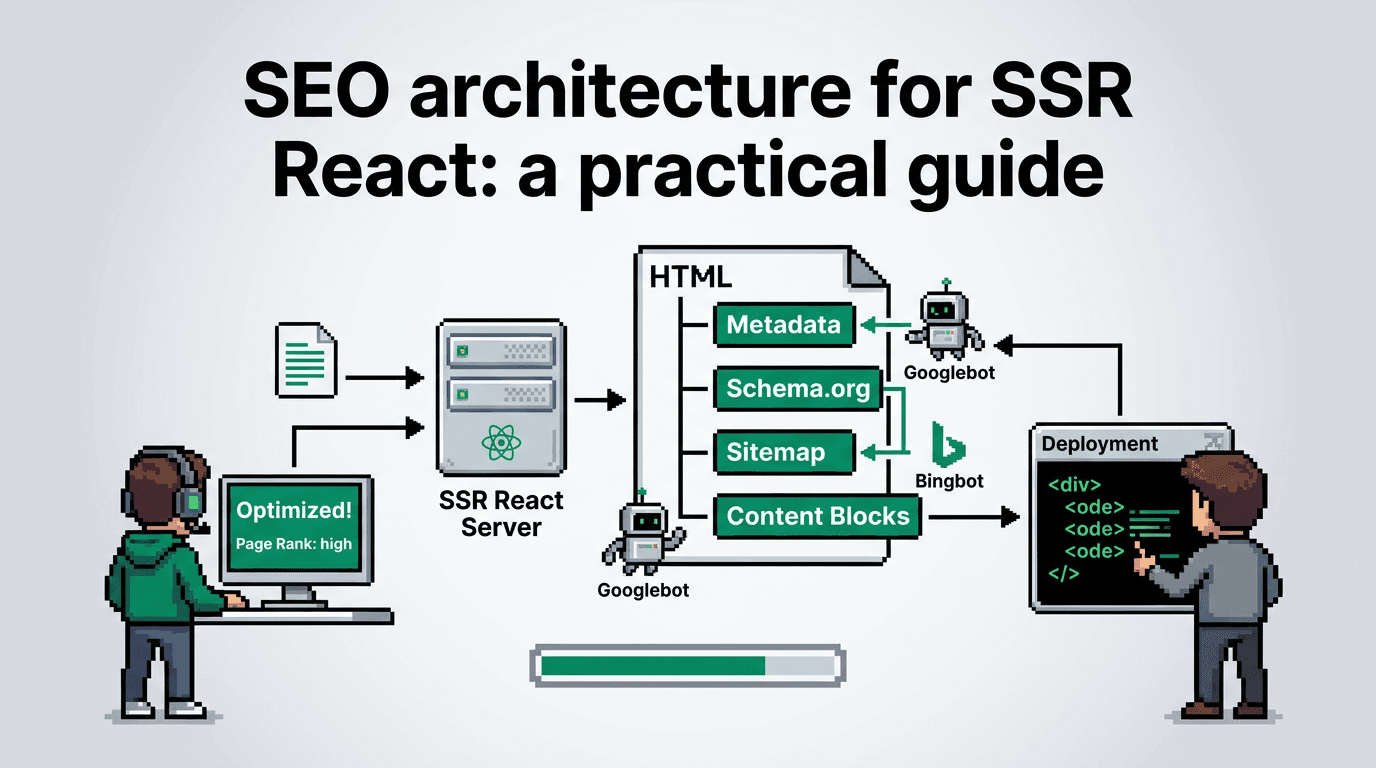
Modern product teams ship React fast, then hit an organic ceiling. Crawlers struggle. Templates drift. Build times swell. You need a system.
This guide shows technical SEO for product teams building SSR React apps. You will model your SEO architecture, wire programmatic SEO templates, add automation workflows and QA gates, and run distribution and experiment loops. Key takeaway: treat SEO as a build pipeline with versioned templates, data contracts, and acceptance checks.
What SEO architecture means for SSR React
A solid SEO architecture defines how content models, rendering, and indexing interact. In SSR React, it aligns code, data, and search behavior.
Core components
- Content model: entities, attributes, relationships, and canonical rules
- Rendering layer: SSR framework, routing, and template slots
- Metadata layer: titles, meta descriptions, structured data
- Linking layer: navigation, breadcrumbs, related modules, sitemaps
- Indexing layer: crawl budget management, robots rules, canonicalization
- Workflow layer: automation, QA gates, release process
Constraints and assumptions
- Assumes SSR using Next.js or Remix with server rendering
- Pages must hydrate quickly with stable HTML before JS
- Content and taxonomy live in a CMS or datastore
- Release cadence is at least weekly with CI available
Success metrics
- Indexed pages vs submitted pages within 14 days
- Rendered HTML title and H1 parity error rate under 1 percent
- Largest Contentful Paint under 2.5s for 75th percentile
- Template coverage of target queries above 80 percent
Data models and URL strategy
Your programmatic SEO system depends on clean data and predictable URLs.
Define entities and attributes
- Entity types: Product, Category, Use Case, Integration
- Required attributes: slug, title seed, summary, canonical, primary image, schema type
- Derived attributes: title formula inputs, meta description tokens, FAQ candidates
- Relationships: product to category, product to use case, integration to product
URL patterns and canonical rules
- Category: /categories/[slug]
- Use case: /use-cases/[slug]
- Product: /product/[slug]
- Integration: /integrations/[vendor]/[slug]
- Canonical points to the most specific entity page
- Avoid duplicate paths for tag archives; use rel=canonical to entity pages
Acceptance checks
- No uppercase or spaces in slugs
- Max 75 chars per slug
- URL resolves with 200 and HTML contains canonical rel to itself
Programmatic templates that scale
Programmatic SEO drives reach by generating many high quality pages from one template.
Template blueprint
- Inputs: entity data, formula config, component registry
- Process: render SSR HTML, inject metadata, assemble links, add schema
- Outputs: static HTML snapshot, JSON-LD, sitemap entries
Title and meta formulas
- Title: {{entity.titleSeed}} for {{audience}} | {{brand}}
- Meta: Learn {{entity.topic}} with {{brand}}. {{entity.value}} in {{timeframe}}.
- H1: {{entity.titleSeed}} for {{useCase}}
- Keep titles under 60 chars, metas under 160 chars
Structured data modules
- Article or Product schema based on entity type
- FAQPage only when at least two QAs exist in entity
- BreadcrumbList built from taxonomy depth
Related links and internal nav
- Add 3 to 6 related links using relationship graph
- Include previous and next within category when ordered
- Cap total links under 120 per page to preserve crawl budget
SSR React implementation approach
Tie the architecture to practical SSR patterns that work in production.
Routing and rendering
- Use file system or resource routes that map to entity types
- getServerSideProps or loader fetches entity by slug
- Return 404 for missing entities with no soft 404 patterns
- Cache HTML at edge for 5 to 15 minutes with stale while revalidate
Metadata and head management
- Centralize head logic in a single utility
- Accept a metadata object: title, description, canonical, robots, schema
- Serialize JSON-LD as application/ld+json in the SSR pass
Performance guards
- Inline critical CSS for above the fold modules
- Lazy load non critical images and client features
- Serve WebP or AVIF with explicit width and height
Pseudo code example
- Goal: deterministic page build with QA outputs
// getEntityPage.ts
export async function getEntityPage(slug, type) {
  const entity = await cms.get(type, slug)
  if (!entity) return { status: 404 }

  const meta = buildMeta(entity)
  const links = buildInternalLinks(entity)
  const schema = buildSchema(entity)

  return { status: 200, payload: { entity, meta, links, schema } }
}
Automation workflows and QA gates
Automation prevents drift. QA gates keep templates honest.
Workflow overview
- Trigger: new or updated entity in CMS
- Step 1: Validate schema against JSON Schema definitions
- Step 2: Generate preview URL and capture HTML snapshot
- Step 3: Run acceptance tests and visual diffs
- Step 4: Post results to a Slack channel with pass or fail
- Step 5: On pass, merge PR and deploy; on fail, open ticket
QA gates and checks
- Titles under 60 chars and non empty
- Meta description between 120 and 160 chars
- Exactly one H1 per page that matches intent
- Canonical points to target URL and is absolute
- Noindex used only on thin utility pages
- JSON-LD validates with structured data linter
Command snippets
## Validate content against schema
ajv -s schema/entity.json -d data/entity.json

## Lint rendered HTML
node scripts/lint-html.js dist/**/*.html

## Assert H1 count
grep -R "<h1" dist | wc -l
Sitemaps, robots, and crawl budget
Control discovery so Google spends time on pages that matter.
Sitemap strategy
- Split sitemaps by entity type to reduce file size
- Include lastmod and priority hints
- Regenerate on content changes or weekly at minimum
Robots and canonical consistency
- Disallow internal preview routes and API endpoints
- Avoid blocking resources needed for rendering CSS and images
- Keep canonical and hreflang consistent with rendered URLs
Crawl budget controls
- Use HTTP cache headers aggressively for stable pages
- Prune near duplicate pages and consolidate with 301s
- Limit filters and query parameters; whitelist essential params
Distribution loops for new pages
SEO compounds faster with distribution loops. Ship pages, then seed demand.
Loop blueprint
- Source: new template pages
- Process: auto generate snippets, schedule posts, send to advocates
- Feedback: collect click rates and on page metrics
- Output: prioritized edits to titles and intros
Channels and cadence
- LinkedIn threads for developer topics twice weekly
- GitHub README links for integrations
- Developer newsletter digest biweekly
- Community posts in relevant forums monthly
Minimal automation
## Create social snippets from summary
node scripts/snippet-gen.js data/entity.json > out/snippets.json

## Schedule via API
curl -X POST /scheduler -d @out/snippets.json
Experiment loops and measurement
Run focused experiments on titles, intros, and link modules to drive clicks and engagement.
Experiment design
- Hypothesis: shorter titles improve CTR on category pages
- Variant: title length reduced to under 52 chars
- Metric: Search Console CTR over 28 days on matched queries
- Guardrail: no drop in average position beyond 0.5
Instrumentation
- Tag variants in templates with data attributes
- Export URL level data from Search Console weekly
- Join with template registry to attribute impact
Review cadence
- Weekly: inspect anomalies and revert poor variants
- Monthly: ship winners to formula config
- Quarterly: retire templates with persistently low engagement
Common failure modes and rollbacks
Guard against common pitfalls that erode organic performance.
Failure modes
- Duplicate content from overlapping taxonomies
- Soft 404s due to thin pages with boilerplate
- Title and H1 mismatch causing intent confusion
- Over aggressive noindex blocking growth pages
- Client side rendering blocking primary content
Rollback plan
- Maintain feature flags per template and per module
- Keep previous template versions to hot swap quickly
- Maintain redirect maps for deprecated URLs
- Add a kill switch to remove FAQ schema sitewide
Minimal owner and tools matrix
Assign owners and keep toolchain simple.
Roles
- Tech lead: owns templates and build health
- Content ops: owns entity quality and taxonomy
- SEO engineer: owns metadata, sitemaps, and QA gates
- Analyst: owns experiments and reporting
Tools
- CMS with webhooks
- Next.js or Remix with SSR
- CI runner with HTML snapshotting
- Search Console and log analysis
Here is a quick owner to task mapping.
| Area | Owner | Primary metric | Tool |
|---|---|---|---|
| Templates | Tech lead | LCP p75 under 2.5s | Next.js |
| Metadata | SEO engineer | CTR lift 10 percent | Head utils |
| Content | Content ops | Coverage 80 percent | CMS |
| QA gates | SEO engineer | Error rate under 1 percent | CI |
| Experiments | Analyst | Win rate over 25 percent | GSC |
Example acceptance checklist per release
Ship with a repeatable, short checklist.
Pre deploy
- All pages pass metadata and schema linting
- Sitemaps updated and accessible
- Robots.txt reviewed; no unintended blocks
- New internal links render client side and server side
Post deploy
- Fetch as Google for 3 sample pages per template
- Monitor error logs and 404s for 48 hours
- Validate indexation deltas after 7 and 14 days
Primary keyword focus and fit
We target SEO architecture as the primary keyword. It matches intent for SSR React teams seeking a system to scale programmatic SEO.
Key Takeaways
- Define a clear content model, URL patterns, and canonical rules
- Centralize metadata and schema in SSR utilities with strict QA gates
- Use programmatic templates with formulas and related links
- Run distribution and experiment loops to accelerate learning
- Track acceptance metrics and keep rollback paths ready
Build the system once, then improve it every release. Your organic growth will compound.