
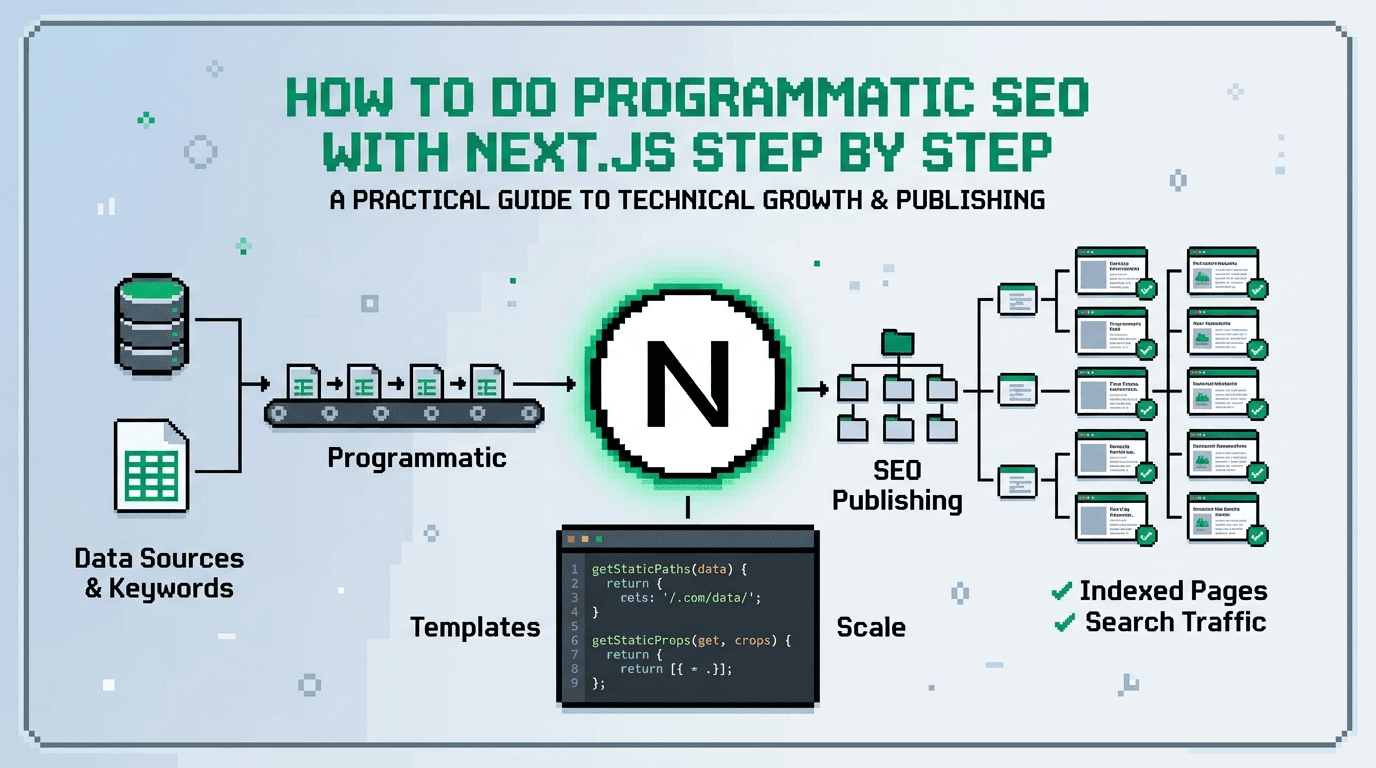
Ship one programmatic SEO surface in Next.js in 30 days. Start with a data model, generate SSR pages, and add QA gates to protect quality.
This guide shows technical SEO for product teams how to build a programmatic SEO system in Next.js. It covers data modeling, page templates, crawl control, automation workflows, distribution loops, and experiment loops. Key takeaway: treat SEO as a build pipeline with tests, metrics, and fast iteration.
What Is Programmatic SEO in Next.js
Programmatic SEO creates many high intent pages from structured data. Next.js handles SSR for performance and crawlability.
Why Next.js fits programmatic SEO
- File based routing and dynamic segments map cleanly to data rows.
- Server components and SSR return HTML fast.
- Middleware and Edge functions enforce crawl rules.
- Incremental Static Regeneration refreshes pages on demand.
Core components you will build
- Data model and ingestion jobs
- Route template with server logic
- Metadata generator and sitemaps
- QA gates and monitoring
- Distribution and experiment loops
Choose the Primary Keyword and Intent
Search intent drives architecture. Use one primary keyword to anchor page templates.
Select the primary keyword
- Primary keyword: programmatic SEO
- Secondary terms: SEO architecture, technical SEO for product teams, distribution loops, experiment loops
Define page types by intent
- Informational: how to guides, comparisons
- Transactional: product or integration pages
- Navigational: category or hub pages
Data Model and Source of Truth
Your data model is the system boundary. Keep it explicit and versioned.
Define entities and fields
- Entity: item you will generate a page for, for example integration, template, location, or feature.
- Required fields: slug, title, h1, meta description, summary, body blocks, canonical, lastModified, status.
- Optional fields: price, ratings, schema.org properties, related items.
Set up ingestion and validation
- Source options: internal DB, CMS, CSV in object storage, API.
- Validation: JSON Schema in CI. Reject rows missing slug or title.
- Ownership: content owner updates copy. Data engineer owns ingestion.
Next.js Routing and Page Generation
Map your data model to routes. Use stable slugs and clean URLs.
Dynamic routes and data fetching
- Use app router with dynamic segments: app/[entity]/[slug]/page.tsx
- Fetch data in the route using a server function.
- Return a 404 for missing or unpublished rows.
Example server function sketch:
// app/integrations/[slug]/page.tsx
import { getIntegrationBySlug } from '@/lib/data';

export const dynamic = 'force-static'; // or 'force-dynamic' if needed

export async function generateStaticParams() {
  const slugs = await getAllPublishedSlugs('integration');
  return slugs.map(slug => ({ slug }));
}

export async function generateMetadata({ params }) {
  const row = await getIntegrationBySlug(params.slug);
  if (!row) return {};
  return {
    title: row.metaTitle ?? row.h1,
    description: row.metaDescription?.slice(0, 155),
    alternates: { canonical: row.canonical },
    openGraph: { title: row.ogTitle ?? row.h1, description: row.summary },
  };
}

export default async function Page({ params }) {
  const row = await getIntegrationBySlug(params.slug);
  if (!row) notFound();
  return <Template data={row} />;
}
Rendering strategy selection
- Static generation for evergreen catalogs. Pair with ISR for freshness.
- SSR for user specific or frequently changing content.
- Hybrid: static for most, SSR for long tail or gated sections.
Template System and Content Blocks
Design one composable template. Make blocks reusable and measurable.
Required blocks per page
- Intro summary with primary keyword
- Features or specs in bullets or table
- Use cases and benefits tied to intent
- FAQs or troubleshooting block
- CTA with low friction next step
Block implementation pattern
- Define TS types for blocks. Store as JSON in CMS.
- Render blocks with server components for fast HTML.
- Add id anchors for each block to support deep links.
Metadata, Sitemaps, and Crawl Control
Control how bots discover and interpret your pages. Ship metadata first.
Metadata and structured data
- Generate title and description from fields with length guards.
- Add JSON LD for appropriate schema types.
- Include canonical for variants and pagination.
Sitemaps and robots rules
- Use app/sitemap.ts for primary sitemap with lastmod per route.
- Split large sitemaps by entity type. Link from index sitemap.
- robots.txt: disallow draft routes. Allow static assets.
Performance, Core Web Vitals, and Images
Programmatic pages scale. Performance debt also scales. Guard it.
Optimize vitals
- Use next/image with width and priority only for above the fold.
- Inline critical CSS where practical. Avoid blocking scripts.
- Stream content blocks to reduce TTFB on SSR when heavy.
Monitor at scale
- Add RUM via Web Vitals API.
- Track p75 LCP, CLS, INP per template and per entity.
- Create alerts when thresholds regress.
QA Gates and Acceptance Checks
Treat publishing like code. Fail fast, not after indexing.
Pre publish checks
- Slug uniqueness and 200 response
- Title 45 to 60 chars, description 140 to 160 chars
- H1 present, exactly one per page
- Word count minimums by intent
- At least one internal link to a hub and one external citation
Runtime and post deploy checks
- Broken link scan per release
- Sitemap count equals published rows
- Noindex only on drafts and experiments
- Canonical self references unless declared otherwise
Automation Workflows to Reduce Manual Work
Automate the boring parts. Human time goes to strategy and edits.
CI pipeline blueprint
1) PR merges content JSON to main.
2) CI validates schema and runs unit tests.
3) Build generates static params and sitemaps.
4) Deploy previews and posts a checklist to the PR.
5) On release, ping URL submission API queue.
Change propagation and retries
- Use ISR revalidate on change to a row.
- Queue revalidation events if the CDN misses.
- Backfill sitemap lastmod on bulk imports.
Distribution Loops for New Pages
Publishing is step one. Distribution compounds reach.
Create a 30 day distribution loop
- Day 0: post on site with CTA and UTM.
- Day 1 to 3: share snippets on LinkedIn and X.
- Day 7: pitch to 3 newsletters.
- Day 14: publish a comparison or checklist that links back.
- Day 21: answer 5 forum questions with value and link.
- Day 30: roundup post that interlinks wins.
Automate snippet generation
- Extract 3 quotes, 3 stats, and 3 how to steps from the page body.
- Use a script to format social posts and schedule.
- Pull one chart or table as an image per channel.
Here is a quick comparison of manual vs automated distribution tasks.
| Task | Manual effort | Automated workflow | Owner |
|---|---|---|---|
| Snippet creation | 60 min per post | 5 min script run | Content |
| Scheduling | 30 min per channel | 1 cron with API | Marketing Ops |
| UTM tagging | Error prone | Template with params | Marketing Ops |
| Link tracking | Ad hoc | Dashboard query | Growth |
Experiment Loops to Improve Conversion
Use experiment loops to learn and iterate without bloating pages.
Define hypotheses and variants
- Hypothesis: adding a comparison table increases CTR to signup.
- Variant A: template without table.
- Variant B: template with compact table near CTA.
- Metric: click to signup from page.
Run and evaluate safely
- Gate experiments with flags at the block level.
- Log variant exposure and outcome events.
- Evaluate with sequential testing guidelines to avoid p hacking.
Metrics, Dashboards, and Review Cadence
Measure inputs, outputs, and outcomes. Close the loop weekly.
Core metrics
- Crawl: indexed ratio, sitemap coverage
- Quality: bounce proxy via engaged time and depth
- Conversion: CTR to next step, signup rate
- Velocity: pages shipped per week, fixes per week
Dashboard and rituals
- One Looker or Metabase dashboard for the template.
- Weekly 30 minute review to choose next action.
- Monthly retro to prune low performers and scale winners.
Failure Modes and Rollbacks
Expect failures. Predefine rollback moves.
Common failure modes
- Thin pages due to weak data rows
- Duplicate intent across entities
- Slow images that tank LCP at scale
- Overbroad internal links causing crawl loops
Rollback and recovery
- Unpublish or noindex affected slugs. Keep sitemap in sync.
- Merge duplicate intents into a canonical hub.
- Compress or remove heavy media above the fold.
- Adjust link modules to cap links per page.
Minimal Blueprint to Ship in 30 Days
Ship a narrow slice. Prove the system before scaling.
Scope and owners
- Scope: one entity type with 50 pages
- Owners: tech lead, content lead, marketing ops
- Tools: Next.js 14, CMS or JSON, GitHub Actions, Vercel, Looker
Step by step plan
1) Week 1: define data model and draft 10 rows.
2) Week 1: scaffold route and template with metadata.
3) Week 2: add QA gates and sitemap index.
4) Week 2: deploy preview and fix vitals.
5) Week 3: write 40 more rows and run CI.
6) Week 3: set up distribution loop scripts.
7) Week 4: ship, monitor, and begin experiment loop 1.
Key Takeaways
- Treat programmatic SEO as a build pipeline with data, templates, and QA.
- Next.js supports fast SSR, clean routing, and reliable metadata at scale.
- Automate ingestion, sitemaps, and distribution to remove manual toil.
- Use experiment loops to iterate on conversion without bloating pages.
- Review metrics weekly and prune weak pages to keep quality high.
Close the loop. Ship small, learn fast, and scale what works.